Hybrid Workplace Platform
Saas
B2B
WebApp
Client
Self-Initiated
ROLE
Product Design (UX/UI & Design System)
Industry
Future of Work / Hybrid Workplace
YEAR
2025

About the Project
Flowdesk is a workplace management platform designed to make hybrid office days predictable. It gives employees one place to see where their team is working, book a desk or room, and plan their day while giving workplace managers the occupancy and utilization data they need to run the office efficiently.
The Challenge
Hybrid teams were piecing their office day together across disconnected tools a spreadsheet for who's in, a separate app for room booking, no visibility into which desks were actually free. Employees couldn't answer "where should I work today," and workplace managers had no real data to plan capacity or justify space decisions.
Problem
Desk booking existed as a standalone transaction, disconnected from team presence, meeting schedules, and space planning so even a successful booking didn't answer the real question of how to plan an office day.
Solution
One connected system spanning both sides of the transaction employees plan around their team and schedule, managers get the occupancy data that makes those plans possible to support.
What We Did
Reframed the product around user intent instead of a single booking flow, designed two connected experiences (employee + manager) from shared data, and built a lightweight design system so both experiences read as one product.

Phase 1 : Problem framing Reviewed existing hybrid-workplace tools and booking patterns to find where the "book a desk" model breaks down, and reframed the core question from "can I book a desk" to "how should I plan my day."
Phase 2 : Concept & information architecture

Phase 3 UI design & system Designed the 10 screen experience and a shared component system (buttons, cards, timelines, alerts) so the employee and manager sides feel like one coherent product rather than two.

Where, not just whether
People want to know “where will I be working today,” not just “can I book a desk.”
Presence over availability
Team presence is often more decision-relevant than raw desk availability.
Signals, not spreadsheets
Managers need trends and signals, not a spreadsheet of individual bookings.
One system, two views
Employees and managers need the same underlying system, but very different views into it.
Discovery & Search
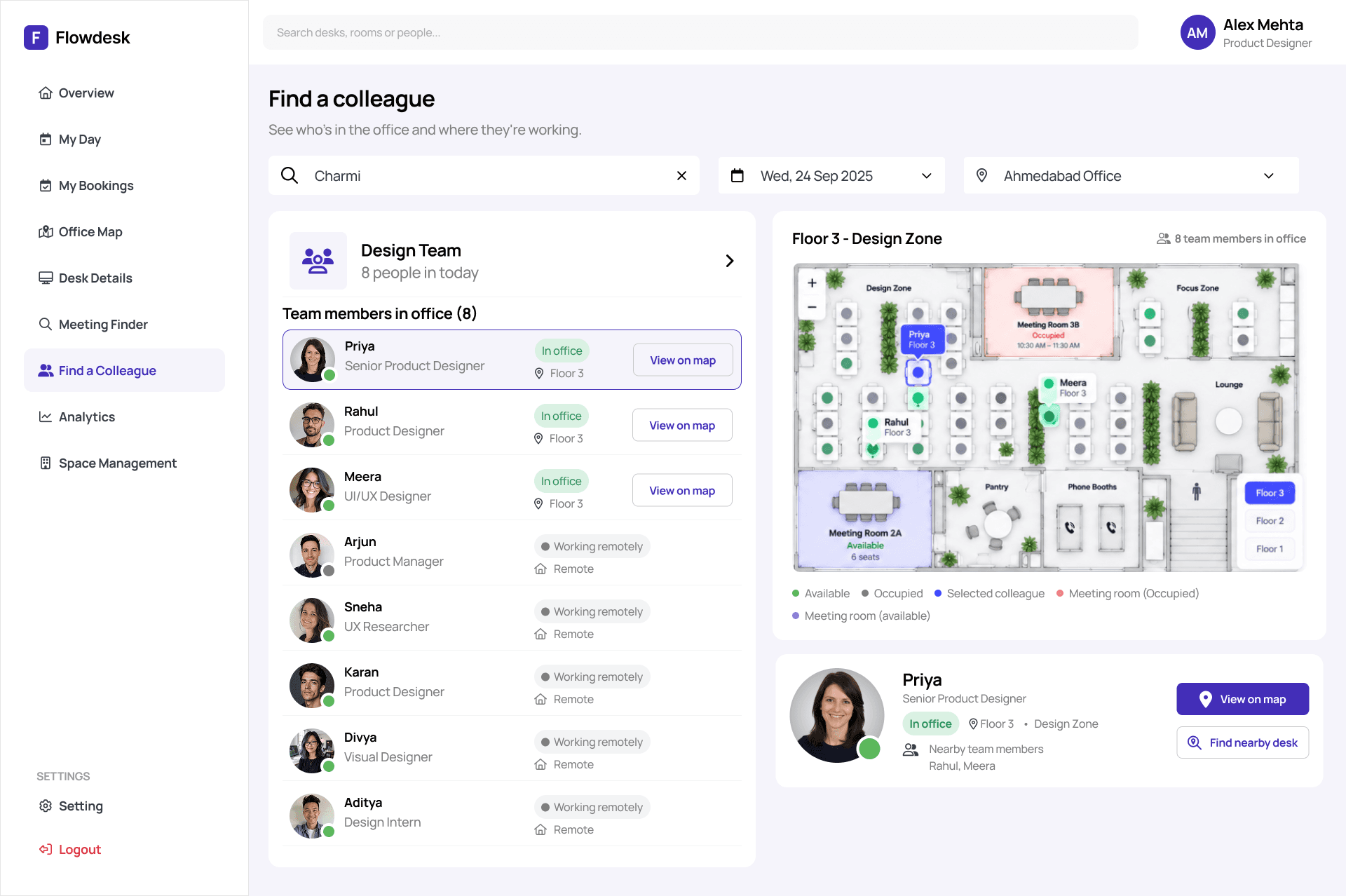
“I’m going in on Wednesday. Who else will be there, and is there somewhere decent to sit?” I open Flowdesk and see my team’s day and what’s free.
Space matching (near team, quiet area, monitor available)
“I’m not after any desk. I want one near my team, quiet enough for a focus morning, with a monitor.” I tick those filters and the map narrows to a few good options.
Booking
“That one works.” I choose the day and time, pick a desk that’s free, and book in a couple of taps. No form, no email to the office manager.
Confirmation
“Is it actually mine?” I see the booking confirmed, with the desk, time and a simple way to change or cancel it if my plans shift.
Day-of navigation
“I’m in the building. Where’s the desk?” The map shows me the route, who’s nearby, and where my first meeting room is.

My Day
A personalized daily view combining schedule, team presence, and quick actions.
Office Map
Live, filterable floor plan for finding and booking space near your team.
Meeting Room Finder
Capacity- and time-aware room search.
My Bookings
A single place to manage every reservation.
Manager Analytics
Occupancy, utilization, and capacity-forecast reporting.
Space Management (Admin)
The system of record for desks, rooms, and zones that the rest of the product reads from.


The first preliminary version




Next step
01
Validate the core "plan your day" reframe with actual hybrid employees, not just desk research.
02
Design permission and role models for multi-location admin access.
03
Define notification and reminder patterns (check-in nudges, booking conflicts).
04
Work out what happens at scale across multiple offices with shared desk-ID conventions this surfaced as a real gap during the consistency review of the 10-screen set.